

Docs Layout
The layout of documentation
Install via Fumadocs CLI
For advanced customisation that supported options cannot suffice.
npx @fumadocs/cli@latest customiseThe layout of documentation pages, it includes a sidebar and mobile-only navbar.
Usage
Pass your page tree to the component.
import { DocsLayout } from 'fumadocs-ui/layouts/docs';
import { baseOptions } from '@/lib/layout.shared';
import type { ReactNode } from 'react';

export default function Layout({ children }: { children: ReactNode }) {
  return (
    <DocsLayout {...baseOptions()} tree={tree}>
      {children}
    </DocsLayout>
  );
}
Sidebar
import { DocsLayout } from 'fumadocs-ui/layouts/docs';

<DocsLayout
  sidebar={{
    enabled: true,
    // replace the default sidebar
    // component:
  }}
/>;
See Sidebar Links for customising sidebar items.
Nav
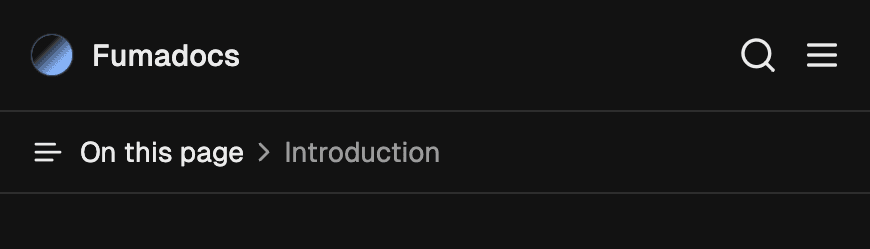
A mobile-only navbar, the nav prop is also reusable on other Fumadocs layouts.
import { DocsLayout } from 'fumadocs-ui/layouts/docs';
import { baseOptions } from '@/lib/layout.shared';
import type { ReactNode } from 'react';

export default function Layout({ children }: { children: ReactNode }) {
  const base = baseOptions();

  return (
    <DocsLayout
      {...base}
      nav={{
        ...base.nav,
        // override
      }}
    >
      {children}
    </DocsLayout>
  );
}
Transparent Mode
To make the navbar background transparent, you can configure transparent mode.
import type { BaseLayoutProps } from 'fumadocs-ui/layouts/shared';

export const baseOptions: BaseLayoutProps = {
  nav: {
    transparentMode: 'top',
  },
};| Mode | Description |
|---|---|
always | Always use a transparent background |
top | When at the top of page |
none | Disable transparent background (default) |
Replace Navbar
To replace the navbar in Docs Layout, set nav.component to your own component.
import { baseOptions } from '@/lib/layout.shared';
import { DocsLayout } from 'fumadocs-ui/layouts/notebook';
import type { ReactNode } from 'react';

export default function Layout({ children }: { children: ReactNode }) {
  return (
    <DocsLayout
      {...baseOptions()}
      nav={{
        component: <CustomNavbar />,
      }}
    >
      {children}
    </DocsLayout>
  );
}
Fumadocs uses CSS Variables to share the size of layout components, and fit each layout component into appropriate position.
You need to override --fd-nav-height to the exact height of your custom navbar, this can be done with a CSS stylesheet (e.g. in global.css):
:root {
  --fd-nav-height: 80px !important;
}
Advanced
Disable Prefetching
By default, it uses the <Link /> component of your React framework with prefetch enabled.
On Vercel, prefetch requests may cause a higher usage of serverless functions and Data Cache. It can also hit the limits of some other hosting platforms.
You can disable prefetching to reduce the amount of prefetch requests.
import { DocsLayout } from 'fumadocs-ui/layouts/docs';

<DocsLayout sidebar={{ prefetch: false }} />;
The Layout System
Handling layout is challenging, Fumadocs UI needed an approach that is:
- Composable: Layout components should manage their position and size effortlessly, ideally in place.
- Flexible: The system should avoid reliance on fixed values or heights, enabling seamless integration of external components, such as AI chat interfaces.
- Cohesive: Components should respond to changes in others, for instance, by animating sidebar collapses.
- Predictable: Layout properties should remain centralized, allowing the final result to be readily anticipated from the source code.
- Compatible: The solution should work on older browsers by leveraging only Baseline Widly Available CSS features.
Fumadocs UI does this with a grid system:
#nd-docs-layout {
  grid-template:
    'sidebar header toc'
    'sidebar toc-popover toc'
    'sidebar main toc' 1fr / minmax(var(--fd-sidebar-col), 1fr) minmax(
      0,
      var(--fd-page-col)
    )
    minmax(min-content, 1fr);

  --fd-docs-row-1: var(--fd-banner-height, 0px);
  --fd-docs-row-2: calc(var(--fd-docs-row-1) + var(--fd-header-height));
  --fd-docs-row-3: calc(var(--fd-docs-row-2) + var(--fd-toc-popover-height));
  --fd-sidebar-col: var(--fd-sidebar-width);
  --fd-page-col: calc(
    var(--fd-layout-width, 97rem) - var(--fd-sidebar-width) -
      var(--fd-toc-width)
  );
  --fd-sidebar-width: 0px;
  --fd-toc-width: 0px;

  --fd-header-height: 0px;
  --fd-toc-popover-height: 0px;
}- The layout container uses grid layout,
grid-templateis set to produce predictable result. --fd-docs-row-*define the top offset of each row, allowing elements withposition: stickyto hook a correct top offset.--fd-*-widthand--fd-*-heightare set by layout components using CSS, they are essential to maintain the grid structure, or calculating--fd-docs-row-*.--fd-*-colare dynamic values, updated as state changes (e.g.--fd-sidebar-colbecomes0pxwhen the sidebar is collapsed).
Both default and the notebook layout utilize this system.